
What to Consider Before Choosing Web Development Services for Your Business
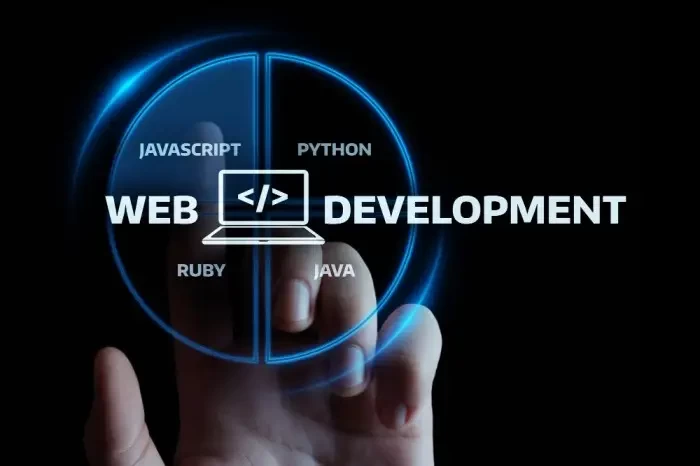
A business website is often the first place a potential customer interacts with a company. It needs to do more than simply look attractive. A good website should communicate what a business offers, make information easy to find, work well on different devices, and provide a smooth experience from the first visit through to an enquiry or purchase.
For that reason, choosing the right web development services is an important decision for businesses planning a new website or considering improvements to an existing one.
Rather than choosing a developer based only on appearance or price, businesses should look at several practical factors before starting a project.
1. Start With the Website's Actual Purpose
Before discussing design, technology, or features, determine what the website needs to accomplish.
For example, a local service business may primarily need visitors to:
- Understand its services
- Find contact information
- Request a quotation
- Book an appointment
- Call or message the business
An e-commerce business has different requirements. Customers may need to browse products, compare options, add items to a cart, make payments, and receive order information.
A website for a professional service, meanwhile, may need strong service pages, case studies, testimonials, forms, and clear calls to action.
Defining these objectives first makes it easier to determine what functionality the website actually needs.
2. Make Mobile Experience a Priority
A website should not be designed only for someone sitting in front of a desktop computer.
People increasingly access websites using smartphones and tablets, so layouts, menus, forms, images, buttons, and text need to work comfortably on smaller screens.
Responsive development allows a website to adapt to different screen sizes rather than forcing mobile visitors to zoom, scroll horizontally, or deal with elements that don't fit the screen.
This is particularly important for businesses where visitors may discover the company through search engines or social media while using their phones.
3. Don't Add Features Just Because They Are Available
Modern websites can include almost unlimited functionality, but more features don't automatically create a better website.
A business might be tempted to add animations, pop-ups, sliders, chat systems, videos, third-party widgets, and other interactive elements. If these features don't serve a clear purpose, they can make the website more complicated and potentially slower.
Good development is often about making thoughtful decisions about what not to build.
Every feature should answer a simple question:
Does this make the website more useful for the visitor or the business?
If the answer is no, it may not be necessary.
4. Pay Attention to Website Performance
Speed affects how people experience a website. A visitor who has to wait for large images, scripts, or other resources to load may leave before reaching the information they need.
Performance should therefore be considered during development rather than treated as something to fix at the end.
Google's Core Web Vitals focus on three important aspects of user experience: loading performance, responsiveness, and visual stability. Google recommends aiming for an LCP of 2.5 seconds or less, INP of 200 milliseconds or less, and CLS of 0.1 or less.
There are several practical ways developers can improve performance, including:
- Compressing and properly sizing images
- Reducing unnecessary JavaScript
- Using modern image formats where appropriate
- Loading non-critical resources efficiently
- Minimizing unnecessary third-party scripts
- Using caching and appropriate server/CDN configuration
Performance optimization isn't about achieving an arbitrary score. The ultimate objective is to make the website faster and more comfortable to use.
5. Think About Search Engine Visibility During Development
SEO shouldn't be something added to a website after development is finished.
The technical structure of a website can affect how easily search engines understand and access its content.
Developers and SEO professionals should consider things such as:
- Logical page structure
- Descriptive page titles
- Proper heading hierarchy
- Crawlable links
- Clean URLs
- Mobile usability
- Image alt text where appropriate
- XML sitemaps
- Canonicalization where necessary
- Page performance
This doesn't mean filling every page with keywords. A technically sound website combined with genuinely useful content provides a much stronger foundation for organic search.
6. Don't Ignore Accessibility
Accessibility is sometimes treated as an optional feature, but many accessibility practices also improve the general user experience.
For example, clear navigation, readable text, sufficient contrast, descriptive labels, keyboard accessibility, and properly structured headings can make a website easier for many people to use.
Correct HTML semantics are particularly important because assistive technologies rely on the structure of a page to understand its content and navigation.
Accessibility should therefore be considered during development rather than left as a final checklist.
7. Choose Technology Based on the Project
There isn't one technology that is automatically the best choice for every website.
A small business website might work perfectly well with WordPress. An online store may benefit from Shopify or another e-commerce platform. A more complex application may require a customized development approach.
The important question is not:
"Which technology is most popular?"
It is:
"Which technology is appropriate for this particular project?"
The chosen platform should be manageable, secure, scalable enough for the business, and appropriate for the team's technical capabilities.
8. Consider Security From the Beginning
Security shouldn't be treated as an afterthought.
Websites may handle contact information, customer accounts, payments, business data, or integrations with external services. Even a simple business website can become a problem if outdated software, weak passwords, vulnerable plugins, or poor configurations are ignored.
Basic security practices include keeping software and dependencies updated, using HTTPS, applying strong authentication, limiting unnecessary access, and maintaining reliable backups.
For websites that process payments or sensitive customer information, additional security requirements may apply.
9. Make the Website Easy to Maintain
A website isn't finished simply because it has launched.
Businesses eventually need to update services, add products, publish articles, change images, fix bugs, or introduce new functionality.
A good development process should therefore consider what happens after launch.
Ask:
- Can content be updated easily?
- Who will manage the website?
- How will backups work?
- How will updates be handled?
- What happens if something breaks?
- Can the website accommodate future requirements?
Thinking about maintenance early can prevent unnecessary technical problems later.
10. Test Before Launch
A website can look perfect on the developer's computer and still have problems elsewhere.
Before launch, it should be tested on different screen sizes and common browsers. Forms should be submitted, navigation should be checked, links should be tested, and important pages should be reviewed carefully.
Performance and accessibility testing can also reveal issues that aren't obvious during normal browsing. Tools such as Lighthouse can provide useful checks for performance, accessibility, SEO, and other technical areas.
A simple pre-launch checklist can include:
Content ? Links ? Forms ? Mobile ? Desktop ? Speed ? Accessibility ? SEO ? Security ? Backups
11. Think Beyond the Launch Date
Launching the website is the beginning rather than the end of the project.
After launch, businesses should monitor how visitors interact with the site and identify areas that can be improved.
For example, analytics may show that visitors frequently leave a particular page, while search data may reveal that people are looking for information that the website doesn't currently provide.
Regular improvements can include:
- Updating outdated content
- Improving slow pages
- Adding useful service information
- Improving navigation
- Testing calls to action
- Fixing broken links
- Updating software
- Expanding useful content
A website that is regularly maintained can remain useful as the business changes.
Final Thoughts
Choosing web development services should be about much more than finding someone who can create an attractive website.
A successful website needs to balance design, usability, performance, accessibility, security, search visibility, and long-term maintenance. The right approach will depend on the business, its audience, its goals, and the functionality it actually needs.
Taking time to define those requirements before development begins can help businesses avoid unnecessary features, technical problems, and expensive changes later.
The best website isn't necessarily the one with the most features. It's the one that makes it easy for the right visitors to accomplish what they came to the website to do.
Related Blog



6ab301e068635.jpg)
















6aa847276cd93.png)











6a9fa7a209e73.jpg)






6a98551d6c9c3.png)





































6a7b248dbcf8b.jpeg)











6a6350a4893cb.png)

6a606c6a4b011.jpg)












6a50e9b09fb4e.jpg)
















6a2bcd56d8f33.jpg)
6a2c0d1d309d3.jpg)

6a211cc2a7dc0.png)

6a18313161c5a.jpg)




























69cb4b7827b08.webp)















68ec9e22634a4.png)



























68edf1fee9090.jpg)
















68f0a0f5a49dc.png)




















69dcdb1cbe702.jpg)