
Step-by-Step Guide: How to Use Circularo Digital Signatures in UAE
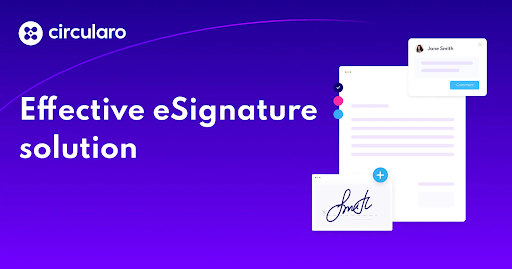
The rapid shift toward digital transformation in the UAE has made electronic documentation and authentication more important than ever. Businesses, government entities, and professionals are increasingly relying on secure digital tools to streamline workflows and reduce paperwork. One such powerful solution is the esignature in UAE, which enables legally valid, efficient, and secure document signing without the need for physical presence.
Among the leading platforms facilitating this transition is Circularo, a digital signature solution designed to simplify document management and approval processes. In this guide, we will walk you through how to use Circularo digital signatures in the UAE, along with key benefits and best practices.
What is a Digital Signature?
A digital signature is a secure electronic method used to verify the authenticity and integrity of a document. Unlike a simple scanned signature, it uses encryption technology to ensure that the document has not been altered after signing.
In the UAE, digital signatures are recognized under the country’s electronic transactions laws, making them legally valid for most business and official purposes.
Why Choose Circularo for Digital Signatures?
Circularo is a cloud-based document management and digital signature platform that offers the following:
- Secure and legally compliant signing
- Easy document sharing and tracking
- Workflow automation
- Multi-user collaboration
- Integration with business tools
It is especially useful for businesses in the UAE that require fast, secure, and paperless operations.
Step-by-Step Guide to Using Circularo Digital Signatures
Step 1: Create Your Circularo Account
To begin, visit the Circularo platform and sign up for an account.
- Enter your email address
- Set a secure password
- Verify your email
Once registered, you can access your dashboard where all document activities are managed.
Step 2: Upload Your Document
After logging in:
- Click on the “Upload Document” option
- Select the file you want to sign (PDF, Word, etc.)
- Ensure the document is complete and ready for signing
Circularo allows you to manage multiple documents at once, making it ideal for businesses handling bulk agreements.
Step 3: Add Signers and Define Roles
Next, you need to assign signers:
- Enter the email addresses of all parties involved
- Define roles (signer, reviewer, approver)
- Set the signing order if required
This ensures a structured workflow and avoids confusion during the approval process.
Step 4: Place Signature Fields
Once signers are added:
- Drag and drop signature fields onto the document
- Assign each field to the respective signer
- Add additional fields like date, initials, or text inputs if needed
This step ensures that each participant knows exactly where to sign.
Step 5: Send the Document for Signing
After setting up the document:
- Click “Send”
- The system will notify all signers via email
Each recipient will receive a secure link to access and sign the document without needing to download any software.
Step 6: Sign the Document
Signers can complete the process by:
- Clicking the secure link in their email
- Reviewing the document
- Applying their digital signature using the platform
The process is simple, quick, and can be completed from any device.
Step 7: Track Document Status
Circularo provides real-time tracking features:
- See who has viewed the document
- Check who has signed
- Identify pending signatures
This transparency helps businesses manage deadlines and follow-ups effectively.
Step 8: Download and Store Signed Documents
Once all parties have signed:
- Download the final signed document
- Store it securely in your system or cloud storage
Circularo also maintains an audit trail, which is useful for legal and compliance purposes.
Legal Validity of Digital Signatures in UAE
Digital signatures are legally recognized in the UAE under electronic transaction regulations. As long as the platform used meets security and authentication standards, the signed documents are considered valid and enforceable.
Circularo complies with these standards, making it a reliable choice for businesses and professionals.
Benefits of Using Circularo Digital Signatures
1. Time Efficiency
Eliminates delays caused by printing, scanning, and courier services.
2. Cost Savings
Reduces paper, printing, and administrative costs.
3. Enhanced Security
Uses encryption and authentication to protect documents.
4. Remote Accessibility
Sign documents from anywhere, anytime.
5. Improved Workflow
Automates approval processes and reduces manual errors.
Best Practices for Using Digital Signatures
To get the most out of Circularo:
- Always verify recipient email addresses
- Use strong passwords for your account
- Review documents before sending
- Maintain backups of signed files
- Ensure compliance with UAE regulations
Common Use Cases in UAE
Circularo digital signatures are widely used for:
- Business contracts and agreements
- HR documents (offer letters, employment contracts)
- Real estate transactions
- Legal documentation
- Government approvals
This flexibility makes it suitable for both small businesses and large enterprises.
Why Businesses in UAE Prefer Circularo
The growing adoption of the circularo digital signature in uae solution is driven by its simplicity, compliance, and efficiency. Companies across industries are embracing it to stay competitive and align with the UAE’s vision of digital transformation.
By eliminating paperwork and enabling seamless collaboration, Circularo helps organizations operate faster and smarter.
Conclusion
Digital signatures are no longer a luxury—they are a necessity in today’s fast-paced business environment. With platforms like Circularo, businesses in the UAE can simplify document workflows, enhance security, and save valuable time.
By following the step-by-step process outlined above, you can easily implement digital signatures into your operations and enjoy a more efficient, paperless future.
Related Blog



6ab301e068635.jpg)















6aa847276cd93.png)











6a9fa7a209e73.jpg)






6a98551d6c9c3.png)









































6a7b248dbcf8b.jpeg)












6a6350a4893cb.png)

6a606c6a4b011.jpg)












6a50e9b09fb4e.jpg)
















6a2bcd56d8f33.jpg)
6a2c0d1d309d3.jpg)

6a211cc2a7dc0.png)

6a18313161c5a.jpg)



























69cb4b7827b08.webp)














68ec9e22634a4.png)



























68edf1fee9090.jpg)

















68f0a0f5a49dc.png)






















69dcdb1cbe702.jpg)